
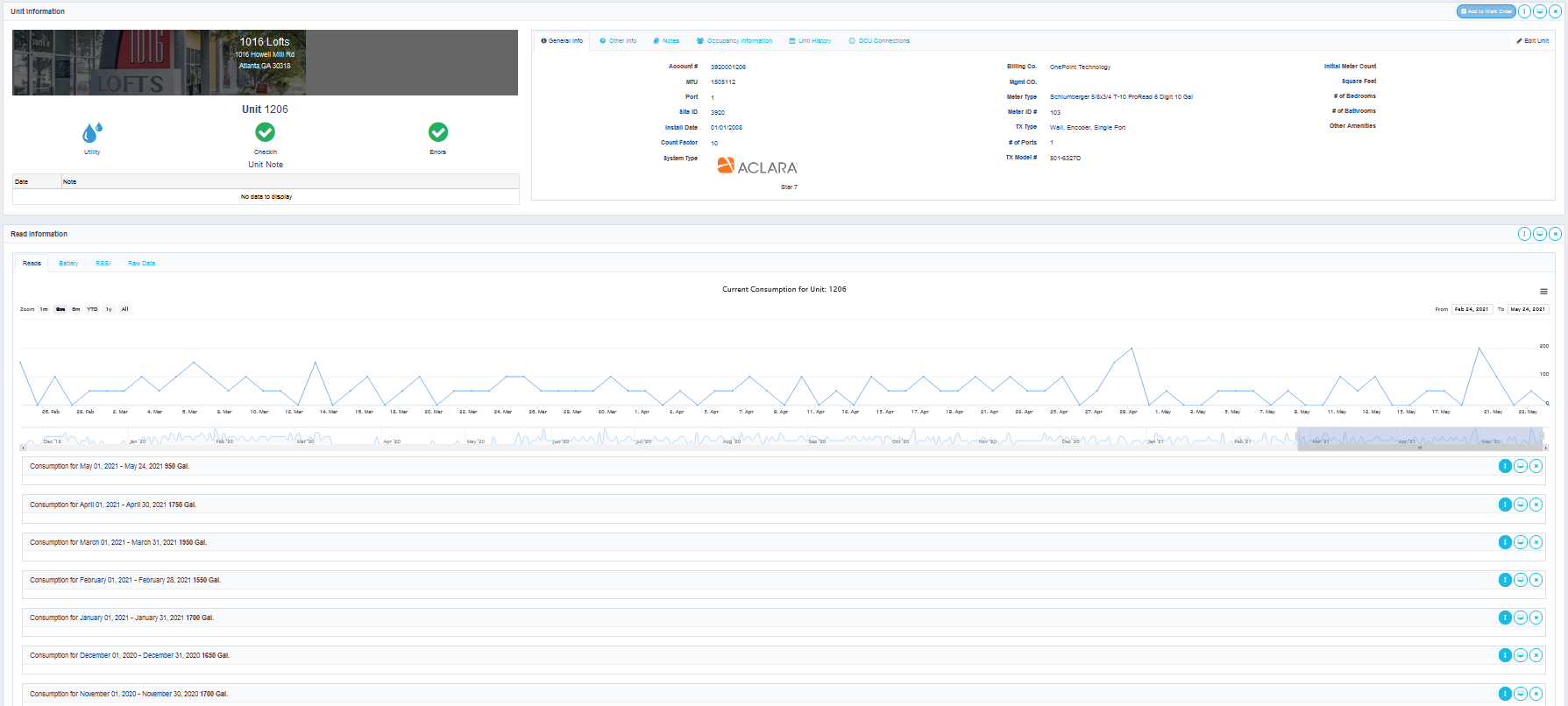
The Units Page is accessed when looking at a single unit, by double clicking on a unit anywhere it is displayed on the site. The Units Page is divided into 3 sections.
Unit Information:
This section is at the top of the page, and shows the property name, address, utility, and health of the unit.
Additional information can be found on the following various tabs -
General Information – Displays all the static information regarding the single unit including system types, initial meter count, install date, and other information.
Other Information – Displays custom data that can be setup at the request of the billing company and allows multiple images to be added.
Notes – Allows you to add unique notes to the particular unit you are viewing. You can select the category, date, and note. You can also notify the billing company notification group.
Occupancy Information – Allows you to view and adjust the occupancy information for the specific unit. You can change the occupancy by clicking on the “change occupancy information”.
Unit History – Displays a timeline for any notes and service requests for the property as well as the unit. This is in chronological order from the newest to oldest.
Edit Unit – Allows the Company Admin to adjust certain fields like multiplier, date install, etc. Only available to a Company Admin.
Read Information:
This section displays reads information as well as any other data that comes in from the transmitter. All available data is displayed as tabs across the top of this section.
The Reads Tab – Displays a line graph of daily consumption and monthly consumption numbers for each month. Can be expanded to see daily reads.
The RSSI Tab – Displays a graph of the last 90 days for the reported signal strength and a table of all the records of signal strength.
The Battery Tab – Displays a graph of the reported battery voltage or percent and a table of the records.
The Raw Data Tab – Allows the user to export the reads for a single unit. You have the option to select the date range and indicate if you want daily reads (1 read per day) or all the reads for that date range. This option varies based on system type and the smallest measurable time frame that we store is in 15-minute increments.
Errors:
This section displays any hardware reported errors from the transmitter. These errors are reported from the system located on the property. They are not based on the configured thresholds or consumption issues.
Comments
0 comments
Article is closed for comments.